
Patient tracking software: A guide to Flextell clinic patient management
When a patient comes to a clinic for the second time and is asked "What was your name again?", their trust in that clinic takes a small hit. This small detail is really the surface of a much bigger problem: patient information that is scattered, hard to reach, and inconsistent.
7 April 20267 min read
In this article
- What is patient tracking software?
- How does the patient card work in Flextell?
- Reaching patient history from the same screen when creating an appointment
- The effect of patient management on clinic efficiency
- The special importance of patient tracking for dental and aesthetic clinics
- Frequently asked questions
- With Flextell, patient information doesn’t scatter or get lost
Most clinics experience this problem in different forms. Some keep patient information in paper files, some in Excel, some deep inside an old piece of software. When you create an appointment, you have to look in different places to reach that patient’s history; sometimes you can’t reach it at all. The treatment note is in one place, the appointment history in another, and the lab result in an email inbox.
Patient tracking software is a structure built to eliminate exactly this scatter. Flextell’s patient management module likewise gathers all of each patient’s information into a single digital card; that card can be reached from anywhere in the clinic, at any time.
What is patient tracking software?
Patient tracking software is a software module in which a clinic stores and manages patient information (contact details, appointment history, treatment notes, files, and special information) centrally in a digital environment.
As a concept, it is a sub-component of clinic management software. Clinic management software covers a broad platform, from appointments to e-invoicing, from staff management to AI-powered patient communication; patient tracking software is the part of that platform that focuses on patient records and history management.
In Flextell, patient tracking is not a separate application or an add-on module; it is a patient card infrastructure that works directly integrated with the appointment, calendar, chat, and invoicing modules.
Would you like to explore all the modules of clinic management software? You can find our complete guide to clinic management software here.
How does the patient card work in Flextell?
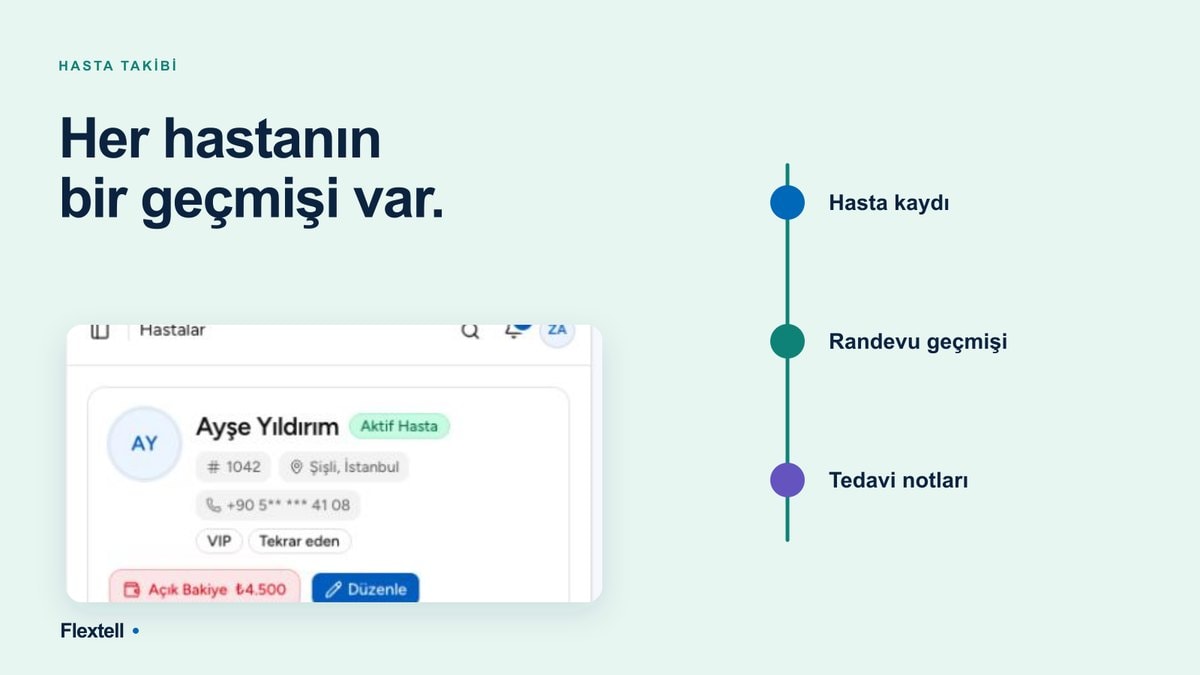
In Flextell, a separate digital card is created for each patient. This card brings together all the information about that patient on a single screen.
Basic patient information
The first section of the patient card holds contact details: first name, last name, phone number, email address, and any additional notes. This information is entered into the system once; it is then used automatically at every later appointment, every message, and every transaction.
The key point is this: the patient card is not a static record. It is updated with every interaction. When a new appointment is created, a message comes in, or a treatment is completed, the relevant information is automatically added to the patient’s card.
Appointment history and treatment notes
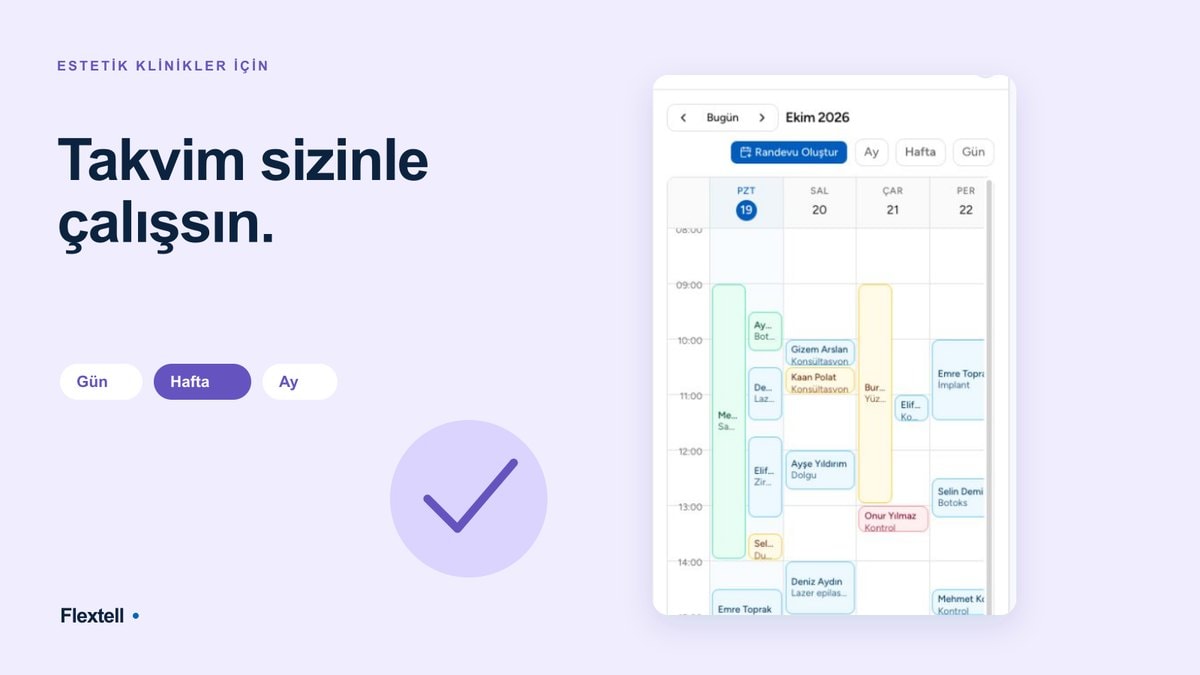
The patient card shows the patient’s entire appointment history in chronological order. On what date, with which doctor, and for which treatment an appointment was booked; whether that appointment was completed; any cancellation or no-show record: all of it is inside the card.
A treatment note can be added to each appointment. The doctor enters the examination result, the procedure performed, or an important reminder for the next session in this field. At the next appointment, these notes appear automatically; there is no need to evaluate the patient from scratch each time.
File and media management
In Flextell you can upload files to the patient card: lab results, prescriptions, treatment documents, test reports, or any record the clinic wants to keep. Every uploaded file is stored on the patient card with a date stamp and can be opened with one click by authorized staff when needed.
At aesthetic and beauty clinics, this feature takes on another dimension. For treatments such as Botox, fillers, laser hair removal, or skin care, keeping photos from before and after the procedure in order gives the clinic documented assurance and gives the patient a concrete way to see the course of the treatment. This "before/after" archive is kept inside the patient card, linked to the relevant appointment.
Forms, financial transactions, and support requests
The patient card isn’t limited to appointment and treatment history; it gathers all interactions with that patient in one place.
If the patient previously filled in a pre-registration form or a medical history form, that form is automatically linked to the relevant patient card. Staff can reach the information filled in before the patient is registered in the system from the same screen.
Financial transactions are part of the patient card too. Past payments, issued invoices, and outstanding balances are tracked patient by patient; accounting and patient information are kept visible at the same time.
Support requests, complaints, or side-effect reports the patient has submitted earlier are also recorded inside the card. At the next appointment, staff can see at a glance whether these requests were resolved; no feedback goes unprocessed.
Reaching patient history from the same screen when creating an appointment
One of the most practical benefits patient tracking software brings to clinics is being able to reach patient history instantly while creating an appointment.
In Flextell, when a new appointment is created, the system pulls up the patient’s card the moment their name is typed. The assistant or doctor can see the patient’s last appointment, the treatments performed, any special notes, and communication preferences on the same screen. There’s no need to open another tab, switch to another system, or look in a filing cabinet.
The practical meaning of this feature for the clinic: even with a patient base that grows every day, staff can offer each patient a personal service experience. Using a name in communication, referring to a previous treatment, or remembering a critical detail about a health condition is a natural result of systematic patient tracking.
Would you like to look at every step of the appointment creation process? You can find our guide to clinic appointment management here.
The effect of patient management on clinic efficiency
Keeping patient information scattered can look like a minor operational annoyance, but its cumulative effect over time is much bigger.
The load on staff goes down
Finding the right file before each appointment, remembering a past treatment, or copying a patient’s contact details from another application: these are small but high-frequency tasks. As patient numbers grow, these micro-tasks consume a significant share of staff’s time. A central patient card removes this load: all the information is already there, with nothing to search for.
The margin for error drops
Patient information kept in two different systems can conflict. Paper notes can get lost. A phone number gets updated in one place and stays out of date in another. A central patient card structurally prevents these inconsistencies: one record, one point of update.
The patient experience improves
When the clinic recognizes the patient at every visit, can refer to earlier information, and doesn’t repeat unnecessary questions, the patient feels valued. This feeling is a factor that directly affects patient loyalty and new patient referrals.
The special importance of patient tracking for dental and aesthetic clinics
At dental clinics, patient tracking requires a different depth. Which procedure was done on which tooth, what stage a filling or root canal treatment is at, how long should pass before the next checkup: if all of this isn’t properly recorded, both the treatment process is disrupted and patient safety is negatively affected. Without having to evaluate the patient from scratch at every visit, the dentist can instantly reach the full history of the treatment through the patient card in Flextell.
At aesthetic and beauty clinics the picture is similar but carries an extra dimension. How many units a patient who had Botox received, which areas were treated, how long should pass before the next session: all of this can be added to the patient card as a note, kept linked to the appointment, and supported with the relevant document or photo. When the patient comes back six months later, the doctor can open that card and see the full course of the treatment; no detail is left to memory.
Frequently asked questions
Is patient tracking software the same as clinic management software?
No. Patient tracking software is a component of clinic management software. It is the name given to the module that keeps patient records, past appointments, and treatment notes in a digital environment. Clinic management software is an integrated platform that covers this module as well as appointment scheduling, e-invoicing, the AI assistant, inventory management, and more.
Can I import existing patient data into Flextell?
Yes. Flextell supports bulk import of patient data prepared in Excel format. Direct import from certain clinic software is also possible.
To learn which platforms you can switch from and how the process works, you can find our guide to importing your existing clinic data into Flextell here.
Who can access the patient card?
Thanks to Flextell’s role-based permission system, only authorized users can access patient cards. The access level can be customized by doctor, assistant, or manager role; an unauthorized user can’t view patient data.
What kinds of files can be uploaded to the patient card?
Common file formats such as photos, lab results, and treatment documents can be uploaded. Every uploaded file is saved with a date stamp and can be accessed directly from the patient’s card.
Can deleted or edited patient records be tracked?
Yes. Flextell’s activity log system records changes made to a patient record, and who made the update and when, with a timestamp. This feature increases transparency and also allows after-the-fact verification in any dispute.
Is patient information stored securely?
Yes. Patient data is treated under KVKK (Turkey’s Personal Data Protection Law). Flextell hosts this data on encrypted servers with access control; the role-based permission system prevents unauthorized access.
With Flextell, patient information doesn’t scatter or get lost
Patient tracking becomes more critical as the clinic grows. In a small practice with one doctor and a few patients, it may be possible to keep the information in your head. But when patient numbers grow, staff diversify, and treatments get complicated, that balance inevitably breaks down.
The digital card created for each patient in Flextell keeps everything in one place, from contact details to treatment notes, from appointment history to uploaded files. However much staff changes and however many patients you add, this information can be reached in full at any time.
If you’d like to see how all the modules work together, you can look at our complete clinic management software guide here.